
# Delete a reminder in Reminds Pro
When a reminder is no longer needed, you can remove it from Reminds Pro so it stops cluttering the list and never fires. Deleting is the right choice for a canceled task or a duplicate you created by mistake. In a shared channel or chat, the reminder disappears for everyone, and any notification that was still scheduled for it will not be sent. If you only want to change the date, time, or recipients instead of removing the reminder, edit it rather than delete it.
Deleting a reminder is permanent. Once deleted, a reminder cannot be recovered, and any scheduled notification for it will not be sent.
# Delete a reminder
- 1
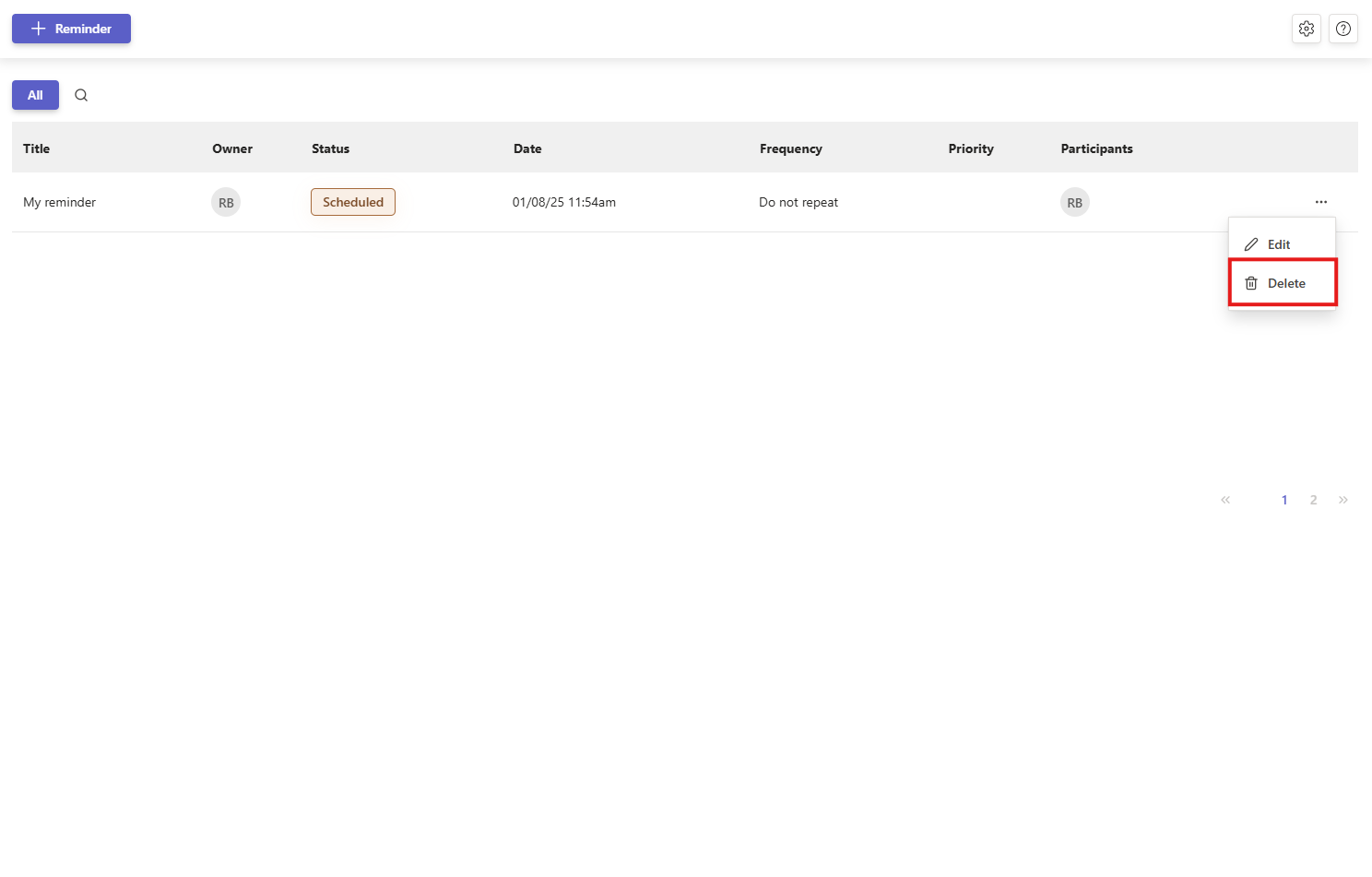
In the reminder list, find the reminder you want to remove.
- 2
Click the three dots menu on that reminder, then choose Delete.
- 3
In the confirmation dialog, confirm that you want to delete the reminder. It is removed from the list right away.
You need delete permission for the reminder. If the Delete option is unavailable, you do not have permission to remove that reminder. See managing permissions.