
# Set up a Map Pro tab
A Map Pro tab is where your team sees the map, adds Places, and plans Trips. Setting up the tab takes a few clicks from AppSource and places the map right next to the conversations it supports. Once saved, the tab stays pinned to the channel so anyone on the team can open it whenever they need it.
# Set up the tab
- 1
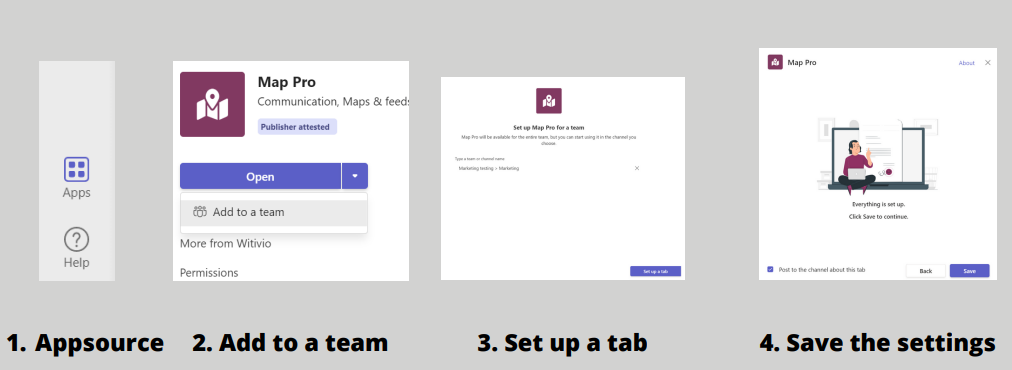
In Microsoft Teams, open Apps (AppSource) and search for Map Pro.
- 2
Click Add to a team.
- 3
In Type a team or channel name, select the team or channel for the tab.
- 4
Click Set up a tab.
- 5
Review the tab settings, then click Save in the pop-up window.
You can also add a tab from inside a channel: click + Add a tab at the top of the channel, then search for Map Pro.