
# Dependencies in Gantt Chart Pro
A dependency links two tasks in Gantt Chart Pro for Microsoft Teams so their order and timing stay connected. When one task must happen before another can start or finish, a dependency draws a connector between the bars and keeps the schedule consistent as dates shift. Dependencies are available on every plan.
# Relation types
Gantt Chart Pro supports the four standard predecessor relations. Pick the one that matches how the two tasks relate:
- Finish-to-Start (FS): the successor starts after the predecessor finishes. This is the most common relation.
- Start-to-Start (SS): the successor starts once the predecessor starts.
- Finish-to-Finish (FF): the successor finishes once the predecessor finishes.
- Start-to-Finish (SF): the successor finishes once the predecessor starts.
Use the Offset (also shown as lag) to add or remove time between the two tasks, for example a two-day gap after a review before the next task begins.
# Create a dependency
- 1
Create the tasks you want to connect, for example Task A and Task B.
- 2
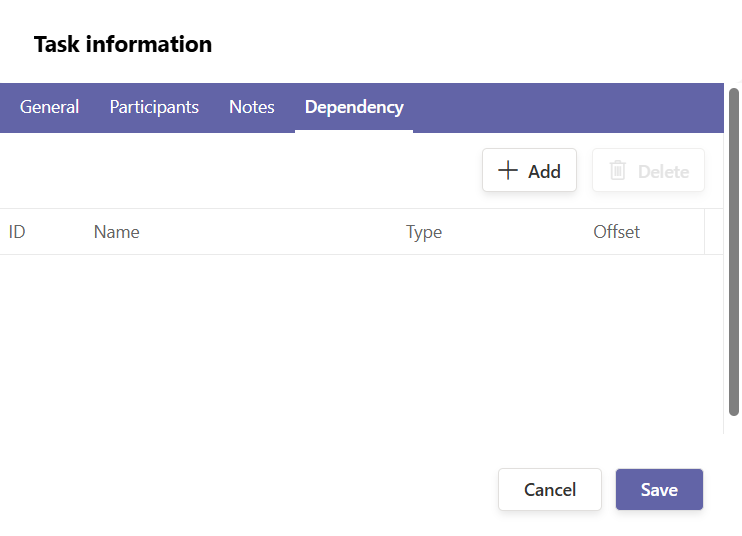
Open the task that depends on another, then go to its Dependency tab.
- 3
Select the predecessor task and the relation Type, then set an Offset (lag) if the successor should start before or after the link point.
- 4
Click Save and check the connector line drawn between the two bars on the timeline.
# Delete a dependency
- 1
Right-click the task that carries the link.
- 2
Choose Delete dependency, then confirm.
# What happens when a linked task moves
If you drag a linked task to a date that breaks its relation, Gantt Chart Pro warns you that the two tasks are linked and the link cannot be honored, then asks you to choose an action. You can adjust the dates to respect the link or switch the task's schedule mode between Automatic and Manual so it no longer moves with its predecessor.
# Common questions
# Do linked tasks update when dates change?
Yes. When you change a predecessor, the connector reflects the new sequencing, and Gantt Chart Pro prompts you if a move would break the link.
# Do dependencies cost extra?
No. Dependencies work on the free and Premium plans. Some related capabilities, such as milestones, require Premium.
# Related pages
- Build the tasks you link in tasks and subtasks.
- Mark key dates with milestones.
- See the connectors across time in view and timeline.
← What it is What it is →