
# Find the Parking Pro unique identifier (ID)
Every Parking Pro tab has its own unique identifier. You need this ID when you connect Parking Pro to another Teams Pro app or when you contact support about a specific parking, so the right tab can be found quickly. This page shows where to read and copy it.
# Get the unique identifier
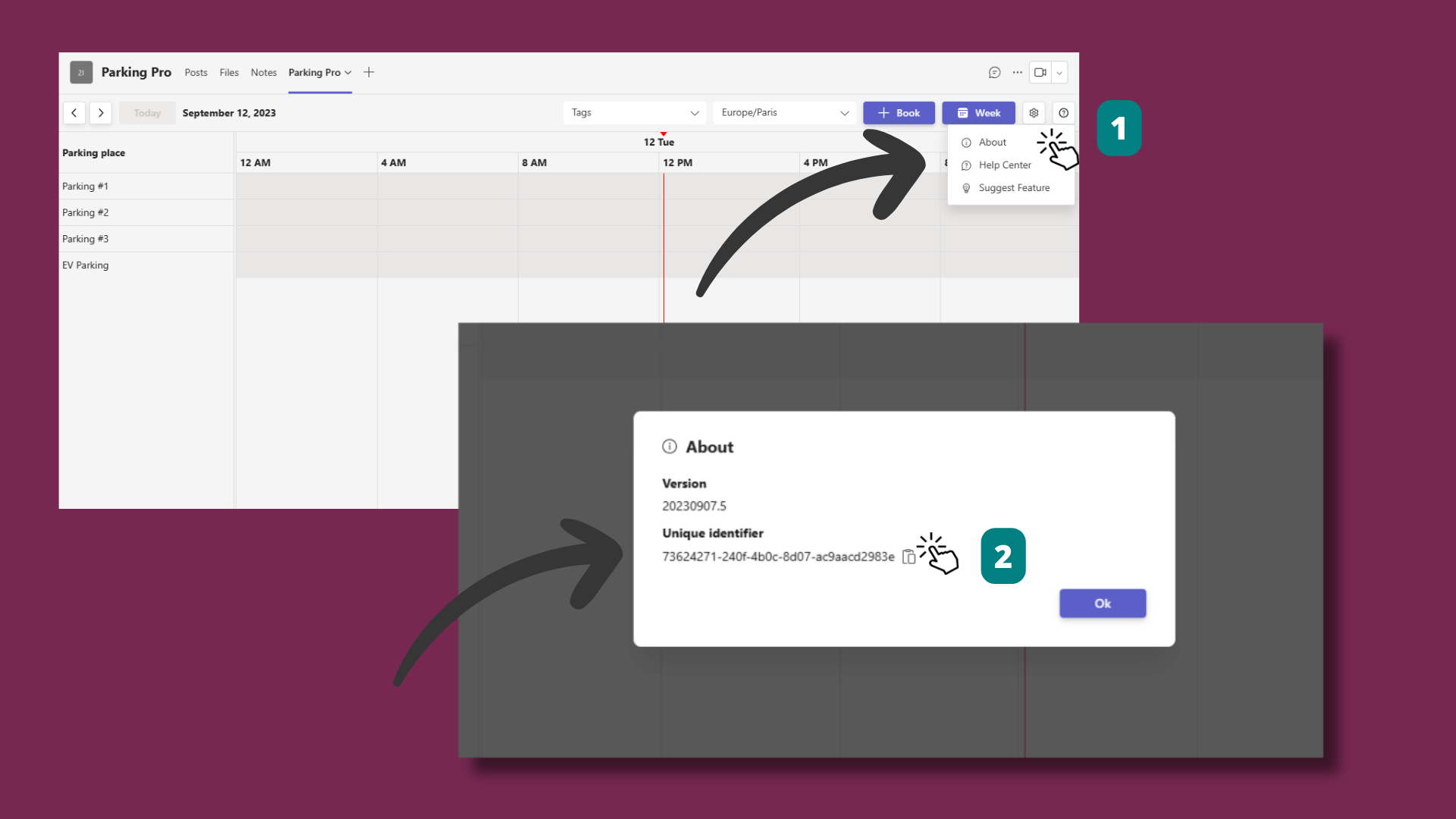
- 1
Open the About dialog
- In the Parking Pro tab, click the Help question mark icon next to the Settings gear.
- Select About.
- 2
Copy the unique identifier
- In the About dialog, find the Unique identifier.
- Click Copy to copy it to your clipboard.
Keep the unique identifier handy when you reach Witivio support or link Parking Pro to another Teams Pro app, since the ID points to this exact tab.